











Securely Log In to Your LiraSpin Casino Account
At LiraSpin Casino, we've made logging into your account super easy, taking just a few seconds whether you're on a computer or a smartphone. Here, we'll walk you through the login steps, common error solutions, and our recovery options if you forget your password or your account gets locked. Our top priority is to keep your access secure while ensuring your gaming sessions run smoothly. If you don't have an account yet, our registration page details the complete process.
How to Log In to LiraSpin Casino on Desktop and Mobile
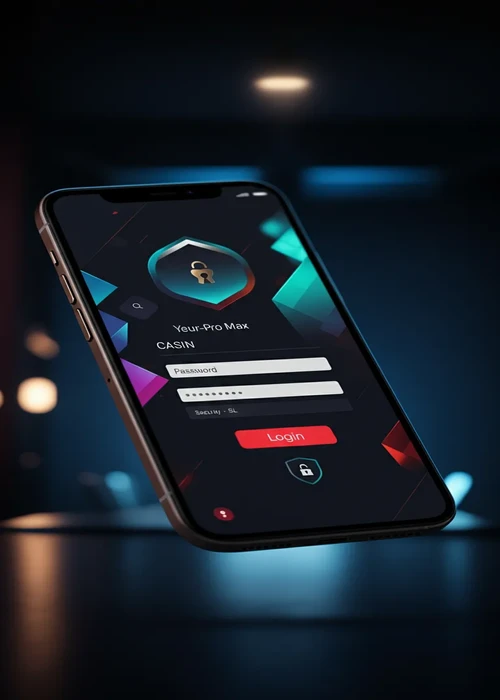
To access your member area, head to our official LiraSpin Casino website and hit the "Login" button at the top of the page. Enter the email address you used when you signed up, then your password, making sure to check for correct capitalisation. On mobile, our form appears in a compact panel specifically designed for smaller screens. We advise against ticking "stay logged in" on shared or public devices to protect your account. If you can't log in, please double-check your email address and password for accuracy before trying again.
Most Common Login Issues
At LiraSpin Casino, access difficulties usually stem from an incorrectly entered password, an account awaiting verification, or a typo in the email address. If your password is no longer working, we provide a "forgot password" link that triggers an email with reset instructions. Our security system might temporarily lock an account after several unsuccessful attempts or in cases of unusual activity. If this happens, we recommend waiting a few minutes before contacting our support team with the details of your situation. Our automatic protection system deactivates faster when repeated attempts are avoided.
Summary of Blocking Causes and Solutions
| Probable Cause | Symptom | Quick Action | When to Contact Support | Estimated Time |
|---|---|---|---|---|
| Incorrect password | Immediate error message | Reset via email | If email doesn't arrive after checking spam | A few minutes to an hour |
| Unverified account | Email validation request | Click the confirmation link | If the link is expired or can't be found | A few hours after re-request |
| Suspicion of fraud | Account locked | Stop attempting to log in | Send ID documents to support | One to three business days |
| Shared device | Unknown sessions | Change password | If unusual bets appear | Immediate after change |
| Network issue | Page not loading | Test another connection | If the problem persists on multiple devices | Varies by internet provider |
LiraSpin Casino Account Security and Best Practices
At LiraSpin Casino, we help you secure your account by letting you choose a unique, long, and personal password, which we advise against reusing on other sites. We recommend not storing your login details in unprotected notes on your phone or computer. On mobile, our site is accessible via a secure browser, and we advise against using links received via messages or social media. We offer login notifications and two-factor authentication options, which we encourage you to activate as soon as you create your account. Our commitment is to protect your balance and data with these additional security layers every time you log in.
LiraSpin Casino Mobile Login: Convenience and Vigilance
We've designed our mobile login form to fit on a single screen and minimise input errors. We urge you to always check the address of our official website before entering your credentials to avoid fraudulent copies. At LiraSpin Casino, we advise against letting your browser remember your password on a shared device. In case of an unstable network, our system handles multiple submissions, but we suggest waiting a few seconds before refreshing the page. Our approach to mobile security places the protection of your access at the heart of every feature.
Customer Support for LiraSpin Casino Account Lockouts
If you're unable to access your account despite several attempts, our support team is available via live chat or email to assist you. Please have your registration email address, a description of the problem, and, if necessary, a copy of your ID ready. Also, let us know when the lockout occurred and if you've recently changed your password or device. This information helps our team quickly identify the source of the problem and restore your access as soon as possible. We handle every request with care and are committed to providing a quick and personalised response.
Access Your LiraSpin Casino Account with Ease
At LiraSpin Casino, we've optimised logging into your member area so it only takes a few seconds once your credentials are set up correctly. We provide you with recovery tools and advanced security options so you can maintain control over your account in all circumstances. In case of a persistent lockout, our customer support is available 24/7 to restore your access as quickly as possible. We offer two-factor authentication and a login history viewable at any time to strengthen the protection of your player account. To discover our promotional offers after logging in, check out our dedicated bonus page. For online security best practices, refer to the recommendations from the ANSSI (National Agency for the Security of Information Systems).
FAQs
Use the 'forgot password' link on our login page, then follow the instructions received via email after checking your spam folder. The reset link is valid for 60 minutes and allows you to create a new secure password. If you don't receive the email within 10 minutes, contact our support via live chat.
An account block can result from repeated password errors, ongoing KYC verifications, or suspected fraud detected by our system. Contact our support via chat or email, having your ID documents ready to speed up resolution. In most cases, unblocking occurs within 24 to 48 hours after your case has been reviewed.
Yes, you can stay logged in on your personal device, but we advise against this option on a shared or public device. On a personal smartphone, it's convenient, provided you protect it with a PIN, fingerprint, or facial recognition. Here at LiraSpin, sessions automatically expire after 30 minutes of inactivity to enhance your account's security.
Always type our website address manually into your browser or use a saved bookmark, and avoid links received via unverified messages or social media. Check for the HTTPS padlock in the address bar before entering your credentials. Our team will never ask for your password via email or chat.
Yes, our 24/7 support team can assist you via live chat or email to regain access to your account. The team will ask for identification information to secure the process and verify you are the account holder. Please have a copy of your ID and your registration email address ready to speed up the process.